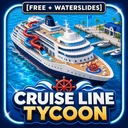
Official destination
Enter the right experience
Match the Roblox Place ID and creator before you build, play, or spend Robux.
- Place ID
- 11474405411
- Creator
- Quality-Studios
- Universe ID
- 4079077350
Independent Roblox player wiki
Official listing checked Aug 5, 2026Build a working cruise ship, keep guests supported, prepare fuel and supplies, and take your line on voyages. Start with the free Beta route, then verify changing menus in the live game.

Game quick facts
Official identity and live-check guide
The official Roblox listing identifies Cruise Line Tycoon as a Quality-Studios grid-based ship building and management game. Build rooms, entertainment and amenities, stock fuel and supplies, hire crew, expand the fleet, and treat Beta systems and values as version-sensitive.
Official destination
Match the Roblox Place ID and creator before you build, play, or spend Robux.
Build and voyage checkpoint
Use the building and voyage guides for a safe baseline, then verify current controls, requirements, and results in game.
Live-game check
Players, prices, stock, class availability, event windows, codes, and balance can change after updates or rotations.
First-run fundamentals
Use the official loop as your starting point: make a compact working ship, protect circulation and guest access, prepare supplies, then learn from the voyage result.
Open the correct Roblox experience and separate current Beta information from older Alpha pages or videos.
Reserve movement and service space before adding rooms, entertainment, amenities, or waterslides.
Check fuel, supplies, crew, guest readiness, controls, and the route before committing to a sailing.
Compare guest feedback, operating costs, docking, and settlement results before scaling the fleet.
This community speedbuild is useful for design inspiration, not proof of current V2 prices, income, or unlocks. Verify the live game before copying a layout.
Start here
Open the guide that answers the decision blocking your next voyage.
Verify the free Beta, build a compact baseline, prepare supplies, and complete a first observable voyage.
→ ShipsUse the ship index to separate starter, fleet, and yacht evidence from unverified V2 values.
→ BuildingPlan the grid, circulation, rooms, amenities, crew spaces, and waterslides around a real operating goal.
→ VoyagesCheck resources, guests, crew, route selection, controls, docking, and settlement before you launch.
→Progression priorities
The best next action is the one that advances your current vessel and target voyage without spending against an old promise.
Make one ship operate reliably before chasing a larger hull, premium product, or decorative expansion.
Build for a working voyage, not a screenshot.Fuel, supplies, crew and operating costs matter alongside rooms and attractions. Keep enough reserve to test the next change.
Protect the voyage budget before expanding.Beta menus, class availability, prices, guest feedback and balance can change after an update.
Confirm sensitive details in the current game.What the wiki can confirm
Official identity, practical guide pages, community observations, and live-game checks answer different player questions.
The Roblox experience identifies Quality-Studios and the build, supply, crew, fleet, and ocean-exploration loop.
→ Guide referenceUse the indexes to plan a vessel and open a detail guide when a choice needs context or a verification label.
→ Live-game checkConfirm these in the current Roblox build because Beta updates and rotations can change them.
→Wiki directory
Start with the part of the ship or voyage you are working on, then use date and verification notes for changing information.
Current-reference reminders
Use the wiki to prepare, but use the live game for decisions that depend on the current Beta build.
Try time-sensitive redemption codes in the current game and treat the in-game result as final.
Check the guide →Track the current Cruise Line Tycoon V2.0.0 free Beta and Waterslides release, its official evidence, returning-player checks, and update-sensitive systems.
Check the guide →Player FAQ
Direct answers for players choosing what to build, stock, sail, or verify next.
Cruise Line Tycoon is a Roblox experience by Quality-Studios focused on grid-based cruise-ship building and management. The official description highlights rooms, entertainment, amenities, fuel, supplies, crew, fleet expansion, and ocean exploration.
Start with the free Beta guide, open the correct experience, build a small working ship, prepare fuel and supplies, and complete a voyage before expanding.
A functional ship needs a valid build, usable guest and service paths, required operating resources, appropriate crew and controls, and a route that can be observed through docking and settlement. Current interface requirements should be checked in game.
Use the ship index to compare documented roles and evidence labels, then check the live ship menu for current ownership, dimensions, cost, availability, and unlock path.
Code status can change. Use the dated Codes page as a reference, redeem codes in the current game, and rely on the result shown there.
No. Treat prices, rewards, income, stock, class availability, and event details as live information that needs confirmation after updates or rotations.
No. This is an independent fan guide. The Roblox experience, Quality-Studios, and linked official destinations remain the source for final live confirmation.
Use the Play on Roblox buttons on this site or the Official Links guide to open the verified Cruise Line Tycoon experience.
Evidence-aware player help
The wiki separates official references, community observations, and details that must be checked in the live Roblox game.
Independent fan wiki. Not affiliated with Roblox or Quality-Studios.